Prototype in Minutes
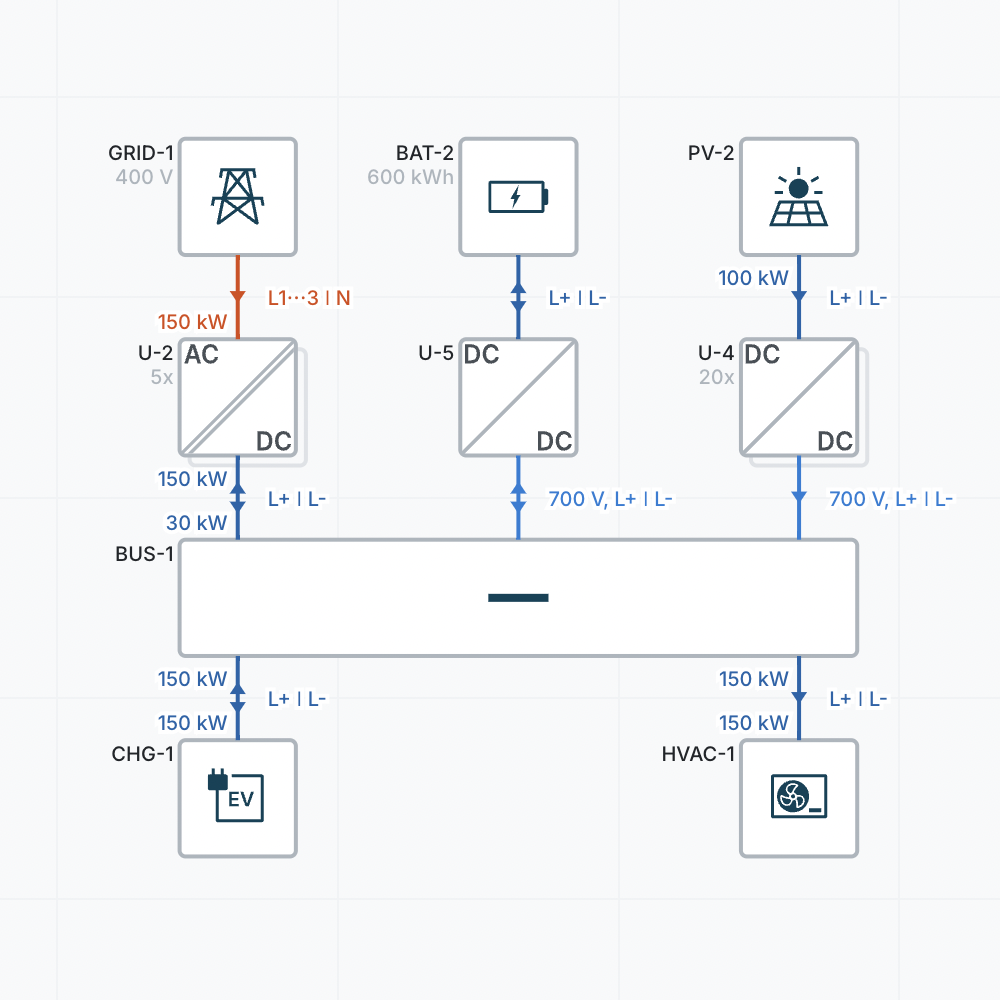
Sketch complete concepts in minutes by dragging and dropping your components.
Drag & Drop Components
Choose from a wide range of pre-defined components and drag them into your designs.
Re-use your components and save them to your team library or browse the extensive Product Catalog.
Fill in the Details
Specify the voltage, current, power and other parameters of your components.
Want to take it up a notch? Add charging information, droop curves, efficiency curves and more.
Connect the Dots
Draw connections between your components.
Choose between an AC or DC wire and select the lines.
Choose between an AC or DC wire and select the lines.
Configure your wires in just a few clicks.
Select the material, installation method, size and length of your wires.
Select the material, installation method, size and length of your wires.
Autofill Specifications
The autofill engine automatically suggests specifications based on the surrounding components and design context.
Copy and paste specifications between components and designs or pick from the sensible defaults.
There's More to Discover

Ready to Get DC Done?
Start designing for free — or talk to a DC expert about your project.
No credit card or download needed.